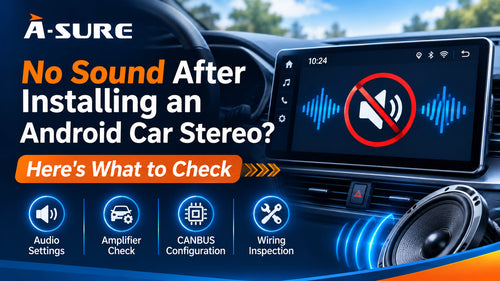
No Sound After Installing an Android Car Stereo? Here's What to Check
- an November 23, 2026
- Kategorien: Car Stereo
ASURE AUDIO TROUBLESHOOTING
No Sound After Installing an Android Car Stereo? Here's What to Check
A practical troubleshooting guide for speaker wiring, factory amplifiers, and CANBUS-related audio issues.
Your new Android car stereo powers on, the touchscreen works, and apps open normally — but there is no sound from the speakers.
This is a common concern after an aftermarket radio installation. Before assuming the head unit is defective, check the speaker wiring, audio settings, factory amplifier system, and vehicle-specific connections.
1. Check the Basic Audio Settings
Start with the simplest possibilities:
- Make sure the volume is turned up.
- Check whether the head unit is muted.
- Test more than one audio source, such as FM radio, Bluetooth music, or an installed music app.
- Check the balance and fader settings.
- Confirm that the audio output settings are configured correctly.
If there is still no sound from any source, continue checking the installation.
2. Inspect the Speaker Wiring
Check the wiring harness and speaker connections. Loose connectors, incorrect wiring, or poor contact can prevent the speakers from receiving an audio signal.
- Confirm that the main power harness is fully connected.
- Inspect the speaker wiring connections.
- Check for disconnected or damaged wires.
- Make sure the connectors match the supplied wiring harness.
Do not cut or reconnect wires randomly. If you are unsure about the wiring, take photos and contact technical support before making changes.
3. Does Your Vehicle Have a Factory Bose or JBL Amplifier?
This is particularly important for vehicles equipped with factory premium audio systems.
Some vehicles use a separate factory amplifier to power the speakers. The aftermarket head unit may not communicate with that amplifier through a basic wiring connection alone.
Depending on the vehicle, a compatible amplifier harness or adapter may be required to retain the original audio system.
4. Check the CANBUS and Amplifier Configuration
If your ASURE stereo includes a CANBUS decoder, verify that it is connected correctly and that the appropriate vehicle configuration has been selected.
Incorrect vehicle or protocol settings may affect communication with supported factory systems. Follow the settings instructions for your specific model rather than choosing an unrelated vehicle profile.
If your installation requires an amplifier interface, make sure the compatible harness or adapter is also installed as specified for your vehicle.
5. Test the Audio Again
After checking the connections and settings:
- Make sure all connectors are firmly seated.
- Restart the head unit if necessary.
- Test FM radio or another audio source.
- Test the front and rear speakers, where applicable.
- Check whether the sound is clear and balanced.
6. Still No Sound? Let ASURE Help
To help us identify the issue, please provide:
- Vehicle make, model, year, and trim.
- Whether your original system has Bose, JBL, or another factory amplifier.
- ASURE stereo model number.
- Photos of the main harness, RCA connections, and amplifier-related wiring.
- A short video showing the head unit playing audio with no sound output.
Our team can review your installation and help determine whether the issue is related to wiring, factory amplifier compatibility, or configuration.
Let's Get Your Sound Working Again
Contact ASURE for installation and audio troubleshooting assistance.
Get Technical SupportEmail: asure2008@gmail.com
Über den Autor